
Smart Scan — clean system junk, caches and logs on Mac
Remove app caches, logs, Xcode archives and other junk from your Mac in one scan. Choose exactly which locations CleanCache cleans.
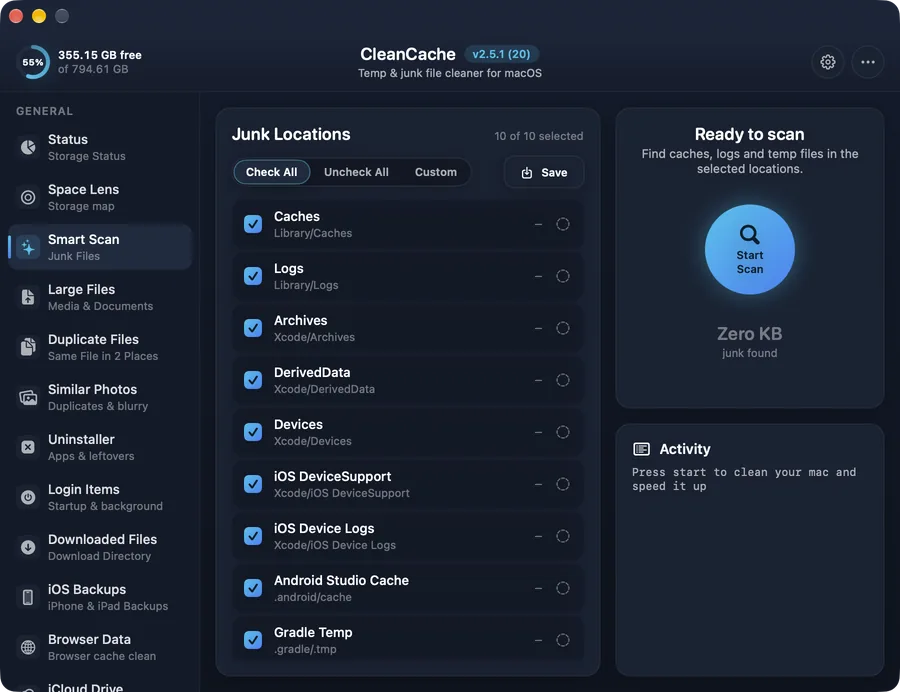
How it works
Apps keep caches and logs to run faster, but they rarely clean up after themselves. Over months this grows into gigabytes of files nobody needs. Smart Scan checks the usual places — your Library caches and logs, Xcode archives and DerivedData, iOS device logs, Android Studio and Gradle temp folders — and shows how much each one holds.
You decide what goes: tick the locations you want, save your choice, and run the clean. Apps simply rebuild a cache the next time they need it.
Safe by design
Only the locations you tick are cleaned, and only their contents — never the folders apps rely on.
Common questions
Is it safe to delete caches on a Mac?
Yes. Caches are temporary copies apps can rebuild. An app may start a little slower the first time after cleaning while it rebuilds what it needs.
How often should I run Smart Scan?
Once a month is plenty for most people. CleanCache can also remind you on a schedule from Settings.