Compare
A focused CleanMyMac alternative
CleanMyMac is a well-known all-in-one Mac utility. CleanCache does one job — getting your disk space back — and goes deeper where many Macs fill up fastest: developer tools and project dependencies.
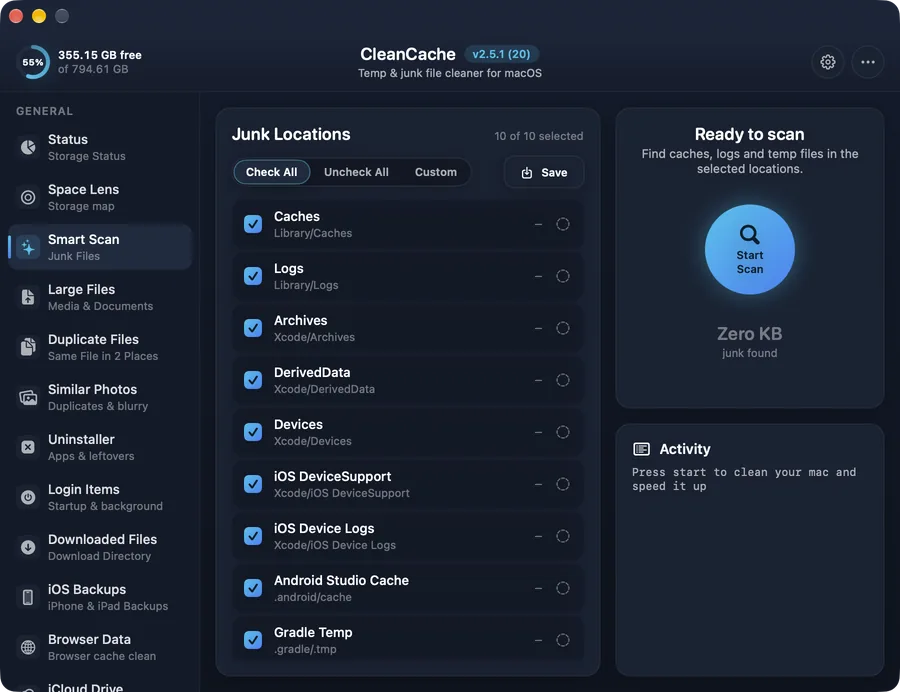
What CleanCache covers
| Area | CleanCache |
|---|---|
| System junk, caches & logs | Smart Scan with per-location control |
| Disk space map | Space Lens — interactive folder map |
| Large & old files | Top 200 files, “not used in” filter |
| Duplicate files | Content match, always keeps one copy |
| App uninstaller & leftovers | App + support files, leftovers of deleted apps |
| Browser data | 7 browsers, per profile |
| iPhone & iPad backups | Per device, latest backup protected |
| Xcode simulators & device support | Yes, with “Select older” |
| Android emulators, SDK & NDK | Yes |
| npm, Gradle, CocoaPods, pip… caches | 18 tools, incl. AI model caches |
| node_modules / build folders of old projects | Yes — source code never touched |
| Malware removal | Not included — CleanCache focuses on storage |
Comparing? Check the other app’s current website for its feature list and pricing — they change over time.
Choose CleanCache if you…
- • mainly want to free up disk space
- • build apps with Xcode, Android Studio, Node, Flutter or Python
- • want to see every file before it’s removed, with Trash-first deletes
- • prefer a lightweight, sandboxed Mac App Store app
Another tool may suit you if you…
- • want malware scanning built into your cleaner
- • want maintenance scripts, RAM freeing or app updaters in the same app
Questions
Is CleanCache a replacement for CleanMyMac?
For freeing up disk space, yes: CleanCache covers junk, large and duplicate files, app leftovers, browser data and backups. It does not include malware scanning or system maintenance scripts — if you need those, keep a dedicated tool for them.
Why is CleanCache better for developers?
It has a separate Developer section that understands Xcode, iOS simulators and device support, Android emulators and SDKs, 18 package-manager caches, and the dependency folders of old projects (node_modules, Pods, .venv, build, target).
Is CleanCache on the Mac App Store?
Yes. That means it's sandboxed and reviewed by Apple, and updates arrive through the App Store.
See the full list on the features page.